
Welcome to Sleazy Fork, a site for adult user scripts.
What are user scripts?
User scripts put you in control of your browsing experience. Once installed, they automatically make the sites you visit better by adding features, making them easier to use, or taking out the annoying bits. The user scripts on Sleazy Fork were written by other users and posted to share with the world. They're free to install and easy to use.
Step 1: install a user script manager

To use user scripts you need to first install a user script manager. Which user script manager you can use depends on which browser you use.
Desktop Mobile (Android) Mobile (iOS)
- Chrome: Tampermonkey or Violentmonkey
- Firefox: Greasemonkey, Tampermonkey, or Violentmonkey
- Safari: Tampermonkey or Userscripts
- Microsoft Edge: Tampermonkey or Violentmonkey
- Opera: Tampermonkey or Violentmonkey
- Maxthon: Violentmonkey
- AdGuard (no additional software required)
- Firefox: Greasemonkey, Tampermonkey, or Violentmonkey
- Microsoft Edge: Tampermonkey
- Maxthon: Violentmonkey
- Dolphin: Tampermonkey
- UC: Tampermonkey
- XBrowser (no additional software required)
- EinkBro (no additional software required)
- Safari: Tampermonkey or Userscripts
- Gear (no additional software required)
- Teak (no additional software required)
- EinkBro (no additional software required)
Step 2: install a user script
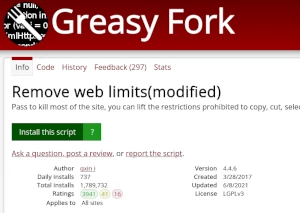
Browse this site to find a user script you want to try. Here is a sample of the most popular scripts:
- XVideos - Adds Sort by Views/Earnings for "This Month" and "Last Month" to Global Statistics Page - Adds new sort options in the "This Month" and "Last Month" columns to sort by Views or Earnings. Useful for content creator and producers that monetize their videos on xvideos.com.
- Kemono Downloader - A modern UI, multi-download method, customizable Pawchive/Kemono downloader
- nhentai Popular Timescales - Adds Month / 3 Months / 6 Months / Year buttons, a custom N-unit picker, and a calendar date-range picker to nhentai, filling the gap between "week" and "all time" using nhentai's own search + uploaded: filter.
- PornHub Region Spoofer - Fast startup region preference with one-time session apply
- Manga Viewer MM - Shows all chapter pages at once in a single scrolling reader on 100+ manga, manhwa, comic and adult sites (MangaDex, Asura, Batoto, MangaPark, WebToons, Madara/MangaStream sites and more). Zoom, 7 view modes, hotkeys, bookmarks, auto-scroll, lazy loading, ZIP download, local files.
Once you've found a user script, click the green install button on the user script's page, and your user script manager will ask you to confirm the install.
Step 3: use the user script
Go to the site the user script affects. It should automatically do its thing. After trying out the user script for a while, go back to where you installed the user script and leave some feedback for the user script's author.